Up to 6 formats can be selected from this menu. Once saved, these formats will be selected by default when requesting a quick download for a file from your 3Play Media account.
| Note: Favorite Formats are a project setting and not a user setting. Any changes you make will be applied to your project and could impact other users. |
Steps to Add to Favorite Formats
1. Click Settings
On the top, right hand corner of the My Files page click Settings.

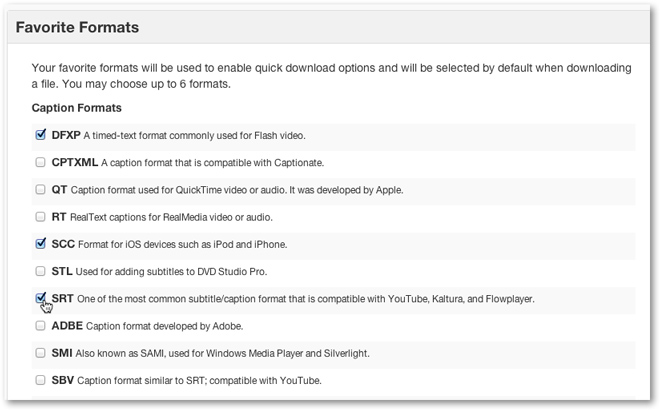
2. Select Favorite Formats
Select up to 6 closed caption and transcript formats.
3. Save Formats
Once you have selected your favorites click Save Formats.
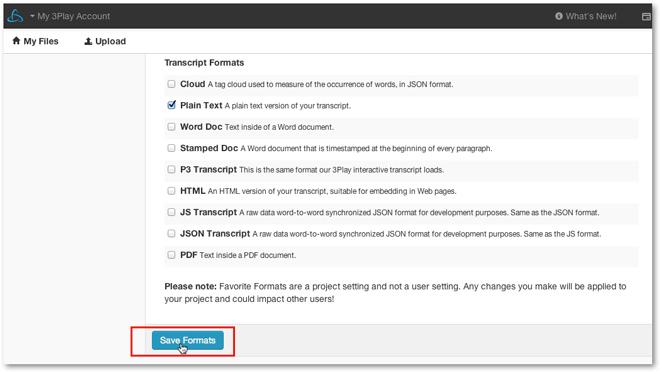
Once Save Formats is clicked a green message bubble will appear notifying you that your favorites have been saved.