Enable Content Publishing within a 3Play Media project to publish 3Play plugins, captions, transcripts, and other assets without having to manage Collections or API Keys.
Prerequisites
- This feature is not available to Express account types.
Steps to enable Content Publishing
1. Click Settings located in the upper, right-hand corner of the page.

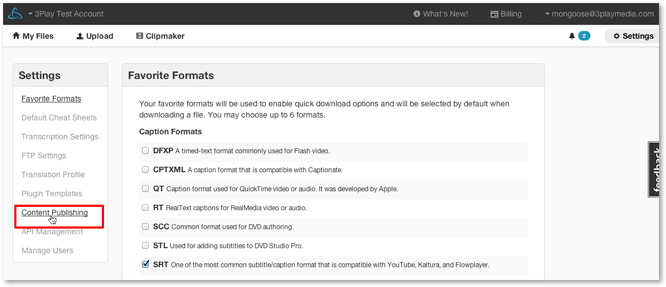
2. Click on Content Publishing
- By default, you will be directed to Favorite Formats.
-
Click on Content Publishing on the left-hand side of the page within the Settings section.
3. Enable Publishing
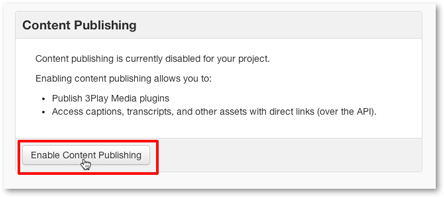
- Click Enable Content Publishing.
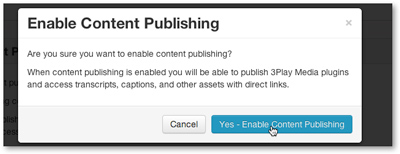
- Click Yes-Enable Content Publishing to activate this feature.